
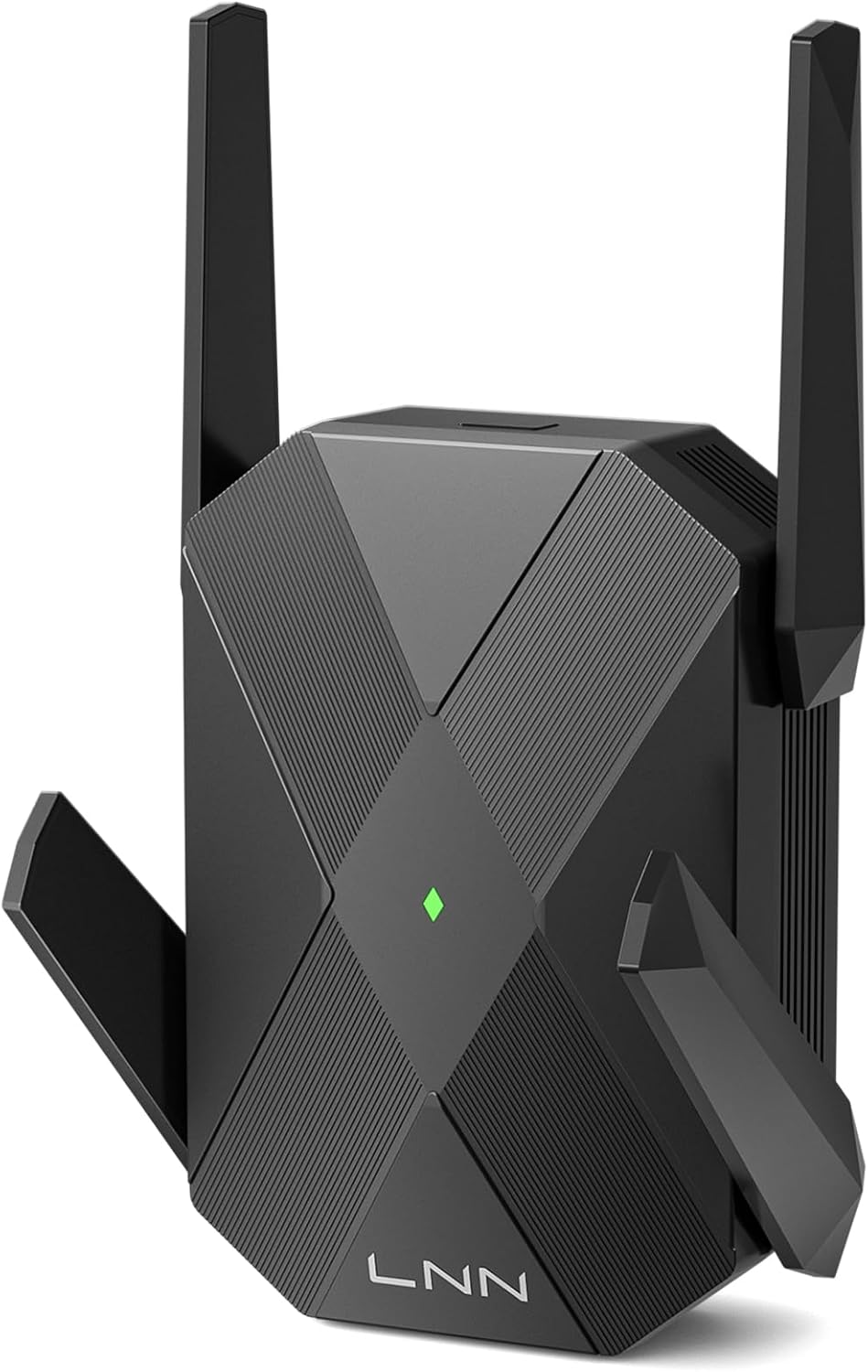
LNN AX1800 WiFi 6 Extender, Gigabit Ethernet Port, Dual-Band 2.4/5GHz Signal Booster Repeater, Up to 1.8Gbps, Covers 1500 Sq. Ft, Multi-Devices, App-Free Setup, AP Mode
$6.99


Product description


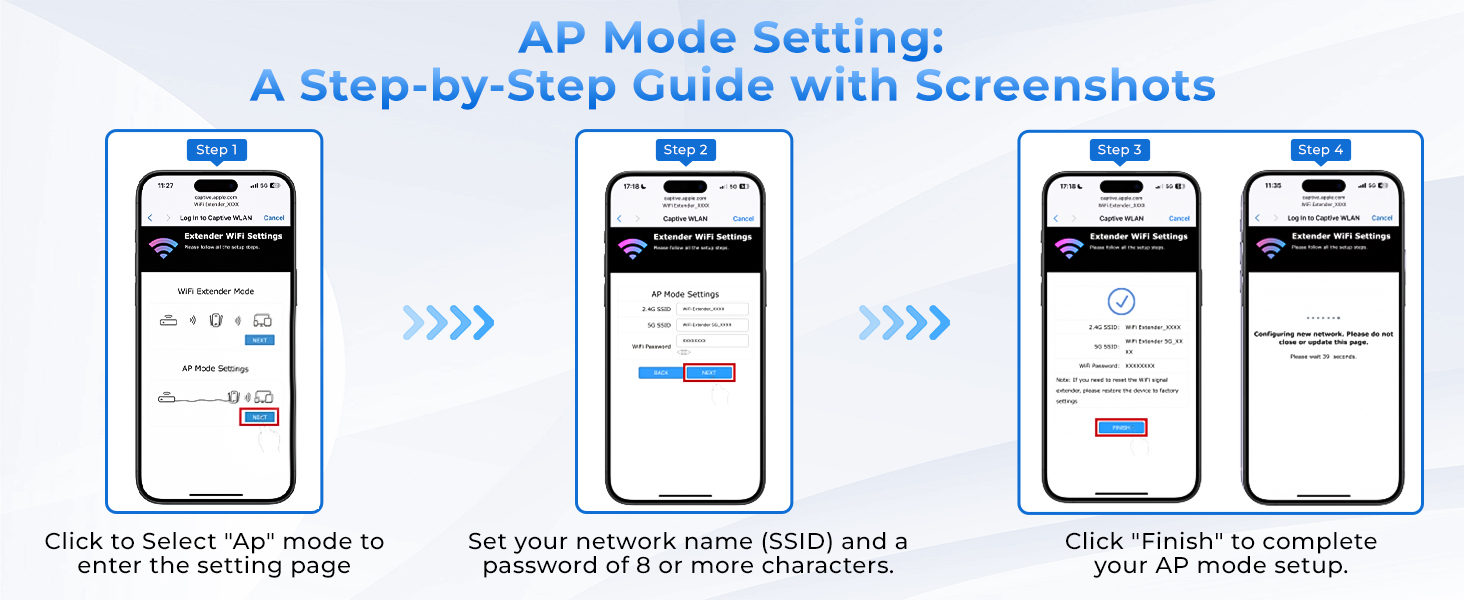
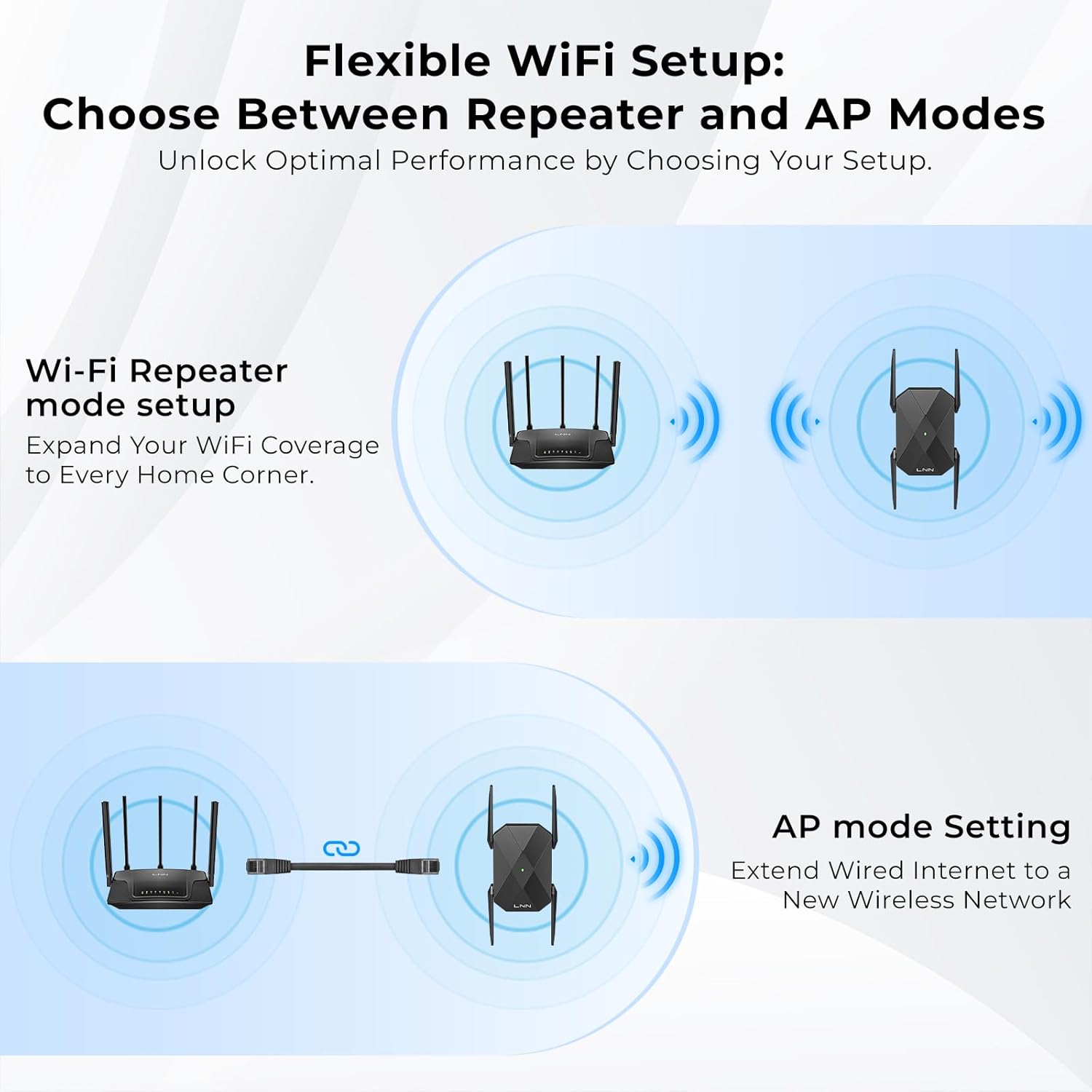
1 All set? Choose your mode
2 Wi-Fi Repeater mode setup
3 AP mode Setting

Does this make my internet faster?
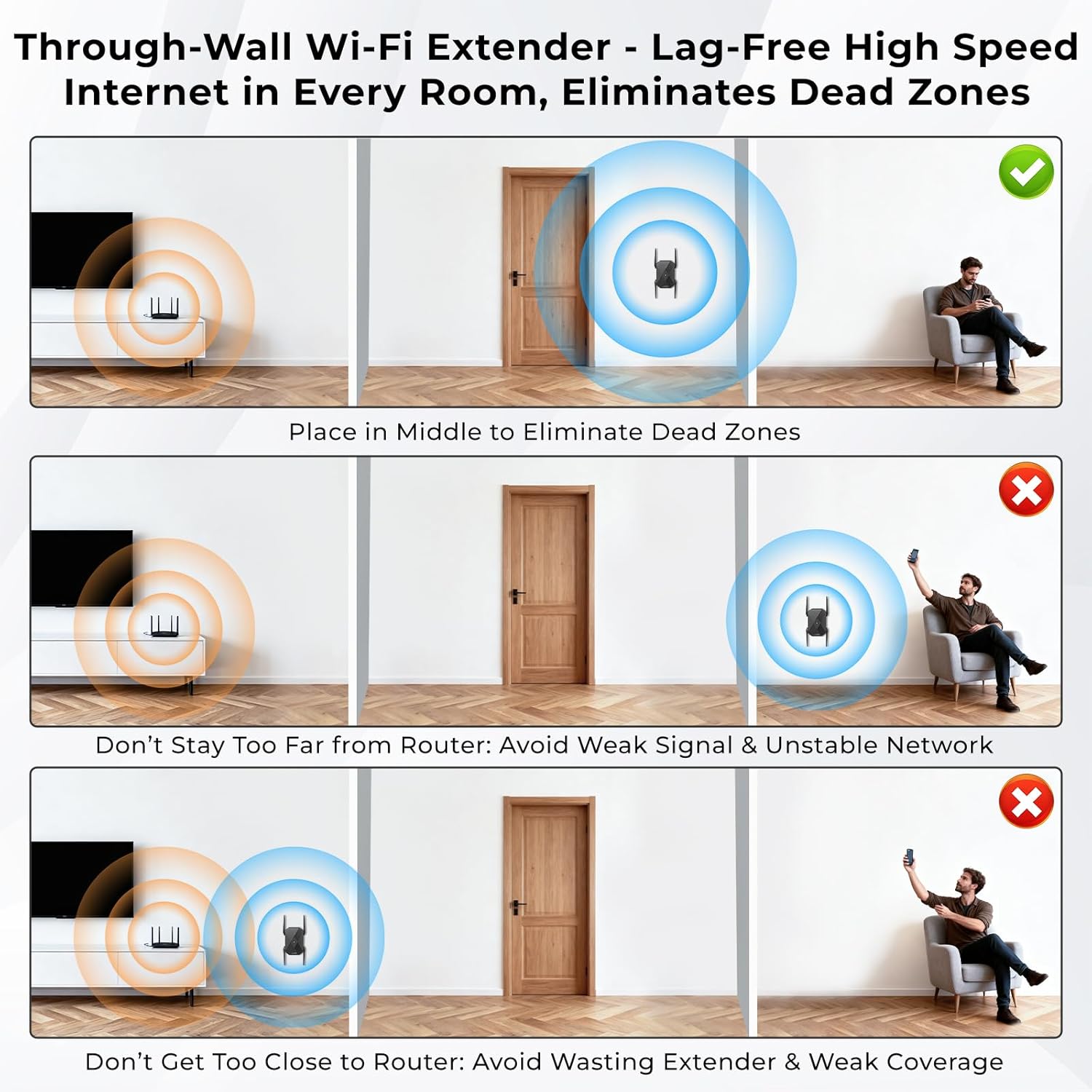
No, it won’t make your internet faster. It extends your WiFi’s range for a strong signal in weak spots. For best performance, place it halfway between your router and the dead zone.
What can I do if I cannot access the web management page?
A: Get started:
1.Connect your device to “LNN-EXT” WiFi.
2.Open a browser and enter 192.168.16.1 in the address bar.
3.If the page fails to load, press RESET to restart setup.
Tip: Type the IP directly into the address bar—do not use the search box.
What is the password for setting up the extender?
For setup, connect to the “LNN-EXT” network—no password is required. Once configured, your extended network will use the same name and password as your main router.
Is it hard to set up? How do I reset it?
Not at all! Both operation modes can be set up in just three simple steps using any web browser – no technical skills needed. To reset, simply press and hold the RESET button for 5 seconds. It’s designed to be straightforward for everyone.
What should I do if the extended signal can’t connect to the internet?
Please try this quick fix:
Access your router’s settings and ensure the wireless security is set to WPA-PSK/WPA2-PSK. This setting is most compatible with WiFi extenders and should resolve the issue.
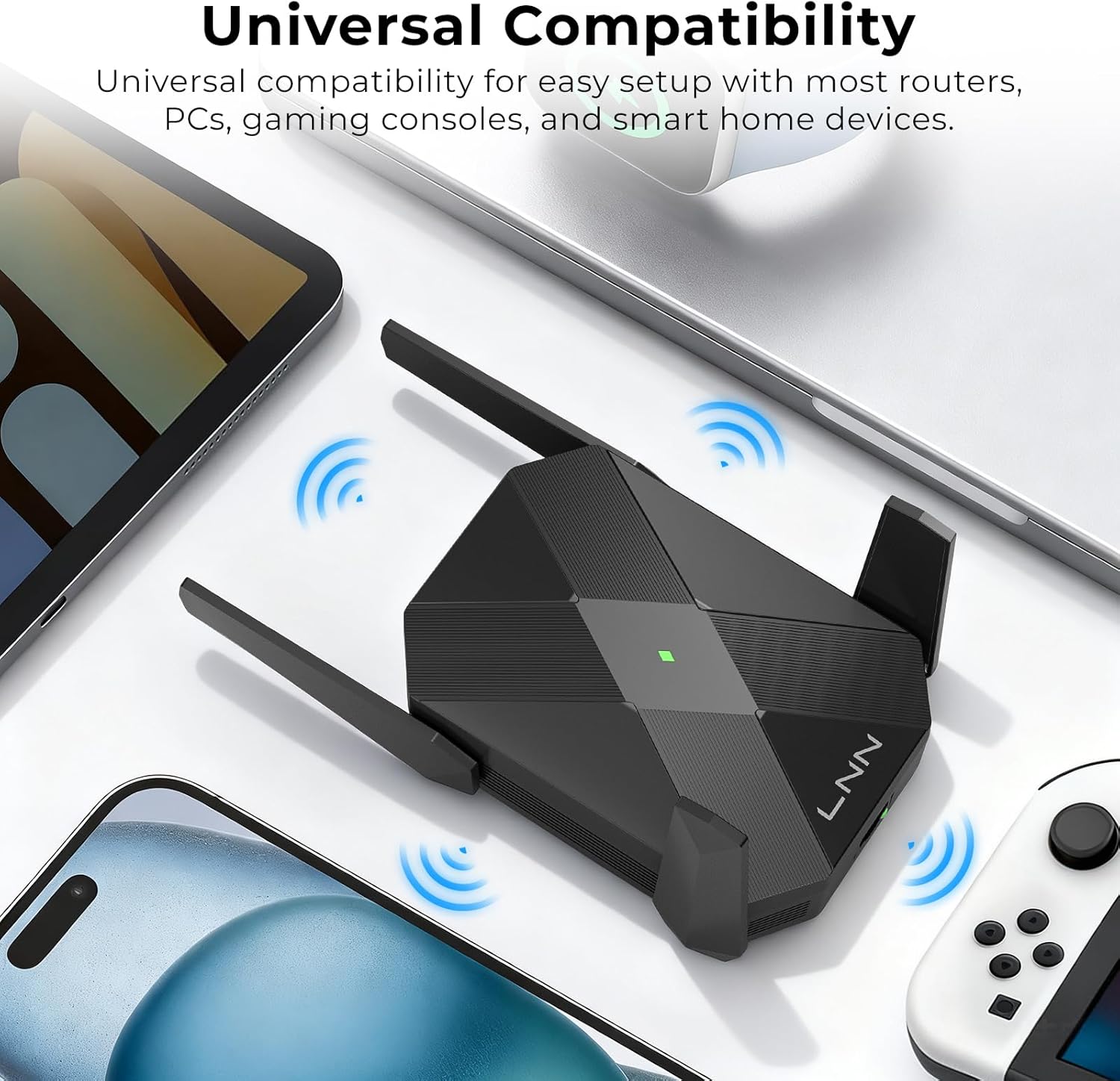
Boosted WiFi Coverage & Eliminate Dead Zones Equipped with 4 high-gain antennas, the LNN AX1800 WiFi Extender strengthens your router’s signal to cover areas with weak WiFi and eliminate dead zones. For optimal performance, plug the extender halfway between your router and the weak signal area. Ideal for large homes, offices, and multi-story spaces. Please note that all wireless extenders are designed to increase or improve WiFi coverage, not to directly increase speed.
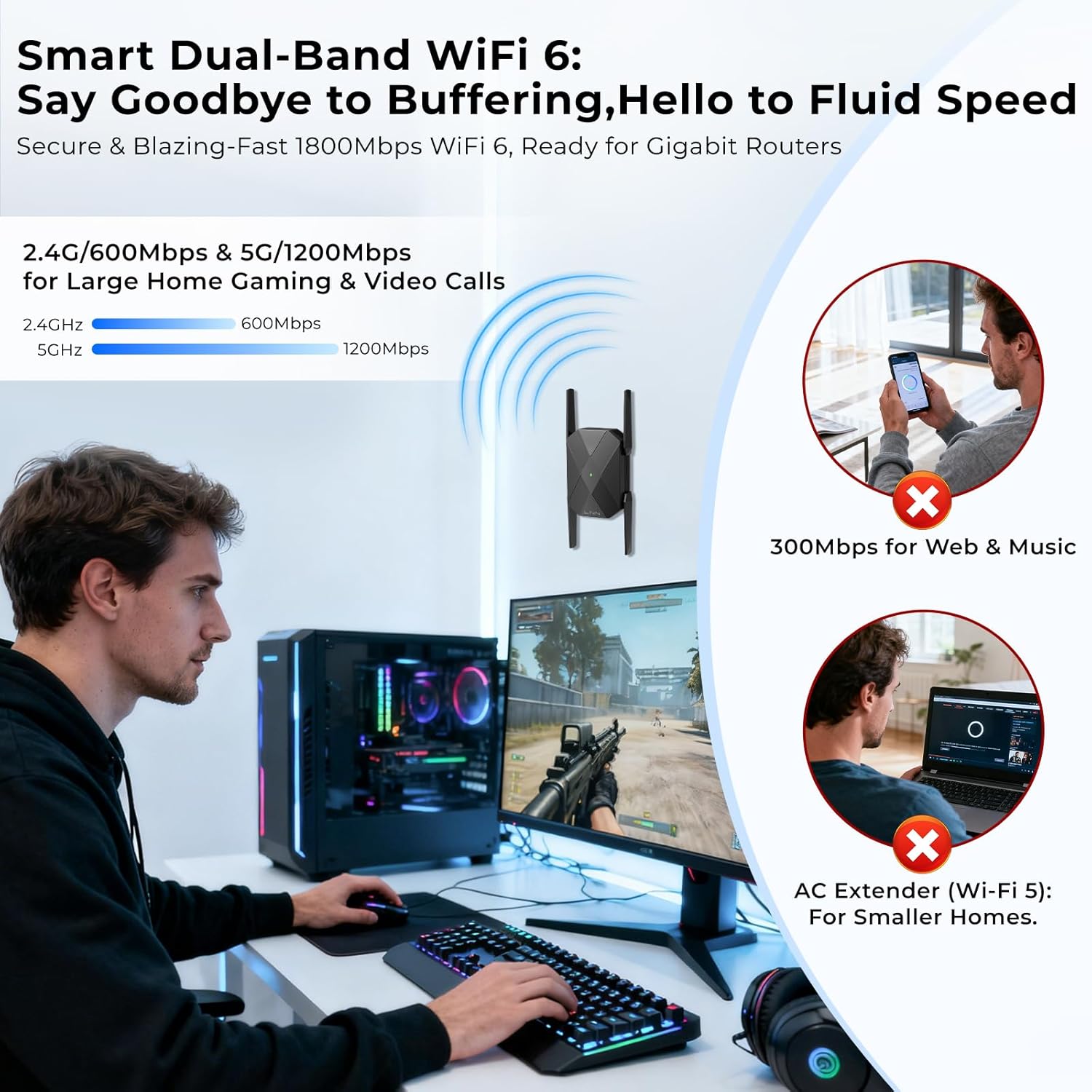
Dual-Band WiFi 6 Speeds Up to 1.8 Gbps Enjoy smooth streaming, gaming, and downloading with dual-band speeds of 600Mbps (2.4GHz) and 1200Mbps (5GHz). Experience reliable performance for all your connected devices without lag or buffering.
Optimal Placement to Eliminate Dead Zones & Boost Signal To maximize your WiFi extender performance, place it in the middle between your router and the dead zone. This strategic placement ensures a strong, stable connection for lag-free streaming and gaming in every room. Avoid being too far from the router, which can cause a weak signal, or too close, which wastes the extender’s coverage potential. Our through-wall technology is designed to boost your WiFi signal effectively, delivering a high-speed internet experience throughout your entire home.
Connect Multiple Devices with Gigabit Ethernet Port Connect wired devices like PCs, Smart TVs, and gaming consoles directly to the Gigabit Ethernet port for ultra-stable, high-speed connections. Efficiently handles traffic from smartphones, tablets, security cameras, and other smart home devices simultaneously—ensuring lag-free streaming and seamless performance across your entire network.
Two Simple Modes & Advanced Security Easily configure the extender in just 3 simple steps for either Wi-Fi Repeater mode or Access Point (AP) mode using any smartphone or PC browser. No app download is needed – the direct browser-based connection makes setup incredibly convenient. Your network stays protected with support for advanced WEP, WPA, and WPA2 wireless security protocols.
Smart Auto-Save Settings & Simple Reset Your custom settings are saved automatically—even after unplugging. The LNN extender remembers your preferences, so you never have to reconfigure unless you choose to reset. A handy RESET button allows you to easily restore factory settings anytime. Improving signal reliability can enhance overall performance for a consistently stable connection.



There are no reviews yet.